Customer Reports |

|

|
|
Customer Reports |
|
|
Customer Reports |
|
|
|
Customer Reports |
|
|
Please Note: If the View Reports on Screen option is checked, then reports will be displayed on the screen. If this option is not enabled you will need to select a printer.
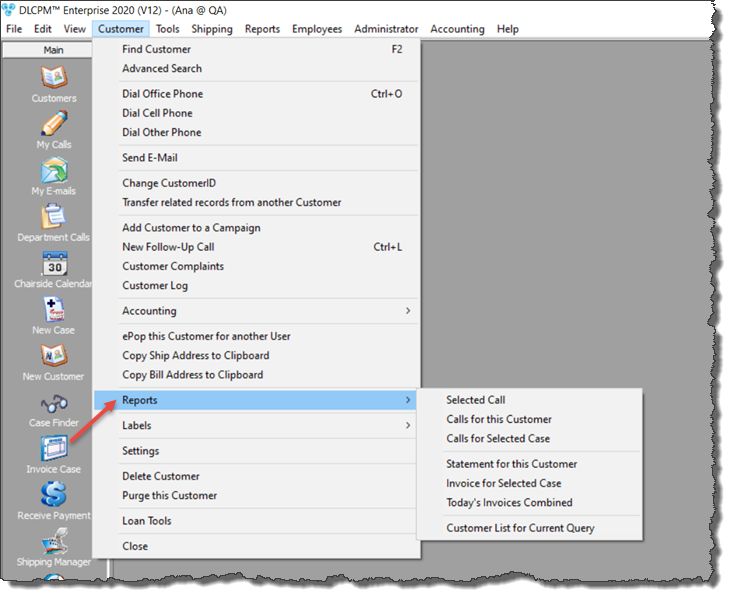
Navigation: Open Customers form from the left side menu bar > Find the customer for which you will run the report > Click on Customer menu > Reports > Select the desired report
Please Note: The Customer toolbar option is not available unless the Customer form is open and selected.
Reports: |
Customer Reports |