Product By Lab |

|

|
|
Product By Lab |
|
|
Product By Lab |
|
|
|
Product By Lab |
|
|
The "Product by Lab" feature allows labs to choose which product gets added to cases by their specific lab intraoral scanner accounts.
The setting can be found in the specific scanner settings on our Digital Gateway (Hub vs Client).
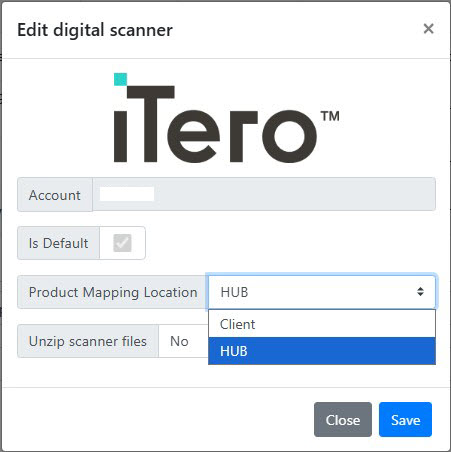
Scanner Settings
There are Two Mapping Modes:
1.Standard Hub Mapping (default) - Product mapping is handled by the Hub. Product Mappings are defined in the Product Maintenance menu of DLCPM. When a case arrives, the product is automatically added to the incoming case. This is the existing behavior and remains the default.
2.Client-Side Product Mapping (Product by Lab) - Product mapping is handled by DLCPM, enabling lab-specific product assignment.
oA lab definition is required in the API Product tab in Product Maintenance, with lab-specific products configured.
oEach lab in Lab Settings must have the Product by Lab checkbox enabled and the Digital Gateway settings configured for that lab.
oWhen a case is received, the product is mapped based on which lab the case is assigned to (via CustomerID + LabName context).
oImportant: These two modes are mutually exclusive and cannot be used at the same time for the same scanner.
If the "Product by Lab" feature is used, each lab specific Digital Gateway account will need to be configured to use the Client side product mapping. Each corresponding lab entity in DLCPM will also need to be configured.
The setting can be found in Global Settings > Laboratory Lists > Laboratories > Lab Settings > Digital Gateway tab. By checking the box, the Client side product mapping will be configured.
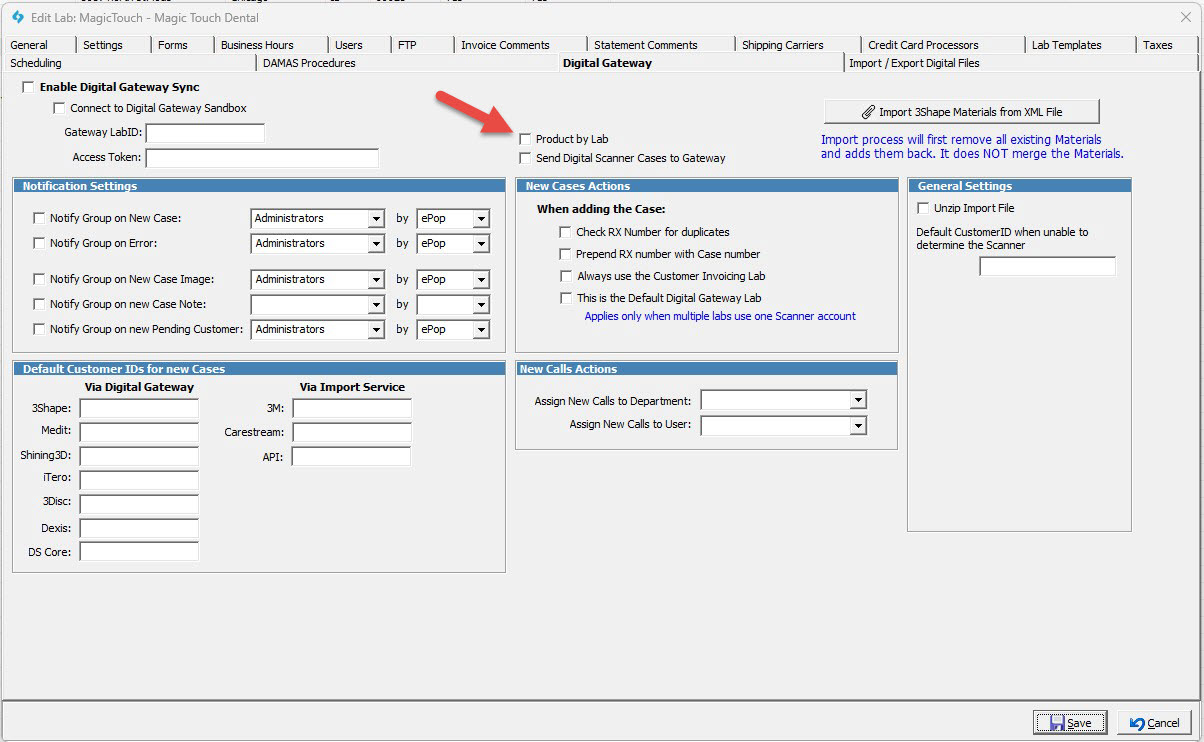
Additionally, each lab specific product will need to be configured to the products assigned to each lab. In the Products Menu, define the Lab that is correct for the product in the API Product setting.
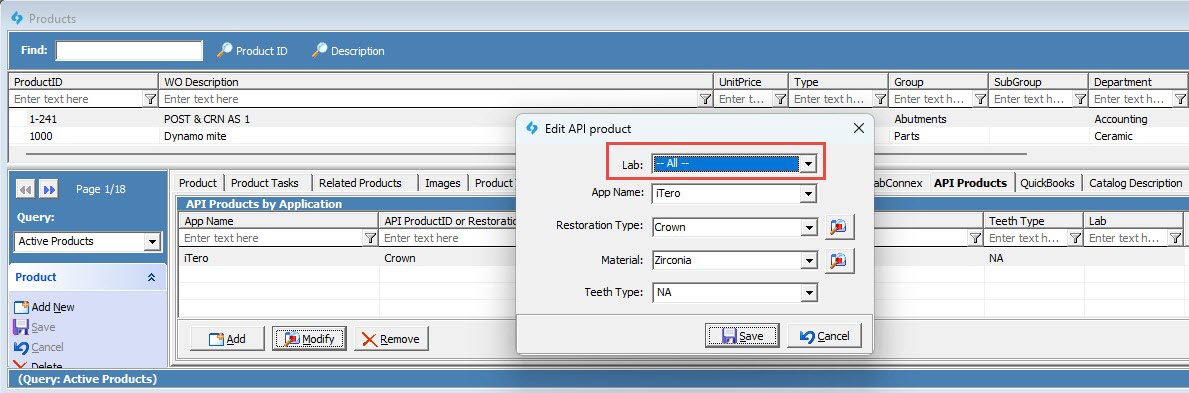
This configuration will map each Product to it's specific lab entity.
Example: Digital Gateway cases from Lab A's account will now only add products from Lab A's API Product list.
See also: