Digital Gateway |

|

|
|
Digital Gateway |
|
|
Digital Gateway |
|
|
|
Digital Gateway |
|
|
The Digital Gateway tab is available when adding a Lab but all options are disabled. These become available only when Lab info is edited.
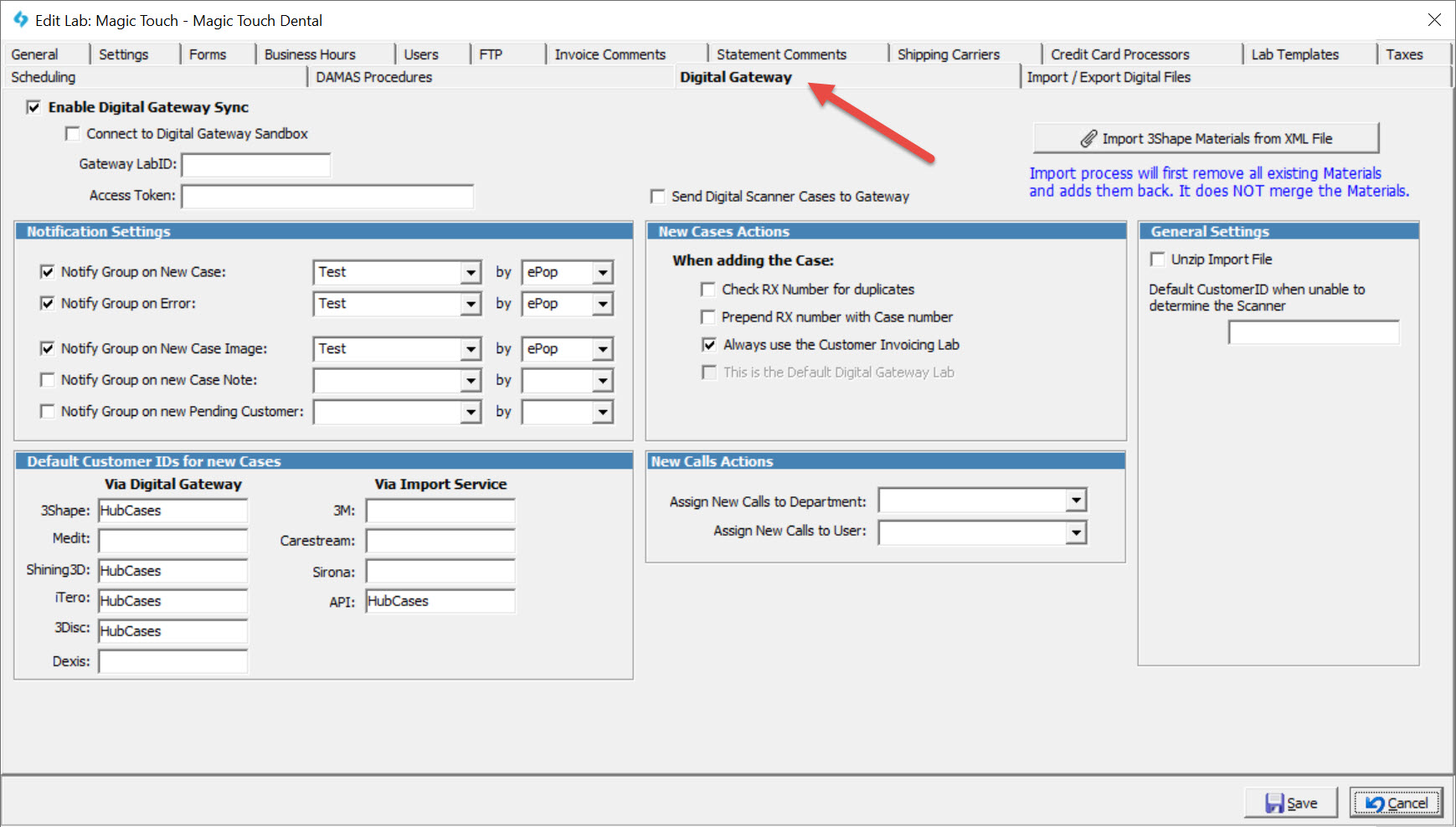
Digital Gateway
Notification Settings:
Select Group and Notification Method if you would like to:
•Notify Group on New Case
•Notify Group on Error
•Notify Group on New Case Image
•Notify Group on new Case Note
•Notify Group on new Pending Customer
New Cases Actions:
•Check RX Number for duplicates - The gateway may be configured to first check the RX number for existing cases to avoid creating duplicates.
•Prepend RX number with Case number - When enabled, the RX number will have the format [Case Number]_[RX Number].
•Always use the Customer Invoicing Lab - When enabled, the customer's Invoicing Lab will be set as the Invoicing Lab on cases delivered through the Digital Gateway.
•This is the Default Gateway Lab - This option is used to define the Default Lab that the gateway would use when multiple labs use one Scanner Account.
Default Customer IDs for new Cases:
Cases delivered through the Digital Gateway will be assigned to these Customer IDs if no customer mapping exists.
New Calls Actions:
•Assign New Calls to Department
•Assign New Calls to User
See also: