Submit RX Branching |

|

|
|
Submit RX Branching |
|
|
Submit RX Branching |
|
|
|
Submit RX Branching |
|
|
Usage: The Submit RX Branching feature allows labs to set up and require additional information based on their existing or new set of preferences values. This can be built in the RX Design menu using the Branch option available when setting Preferences.
Please note that only the Standard preference type is available for Branching.
Prerequisites:
To be able to enter all details, please make sure you have data entered on following tables:
• File > Global Settings > Global > Products & Tasks Lists > RX Categories form
• File > Global Settings > Global > Laboratory Lists > Preferences form
Navigation: File > Global Settings > Global > Products & Tasks Lists > RX Design > Preference > Branch
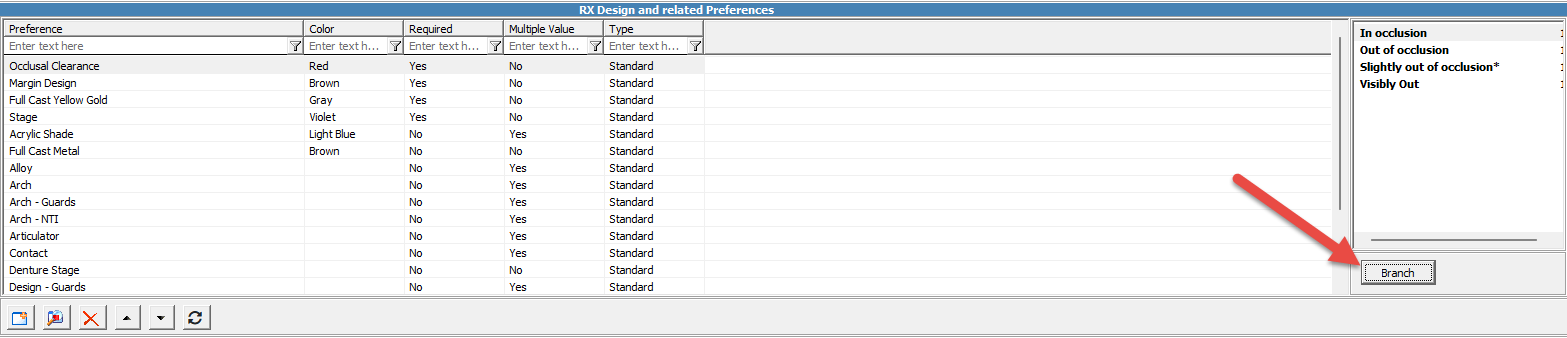
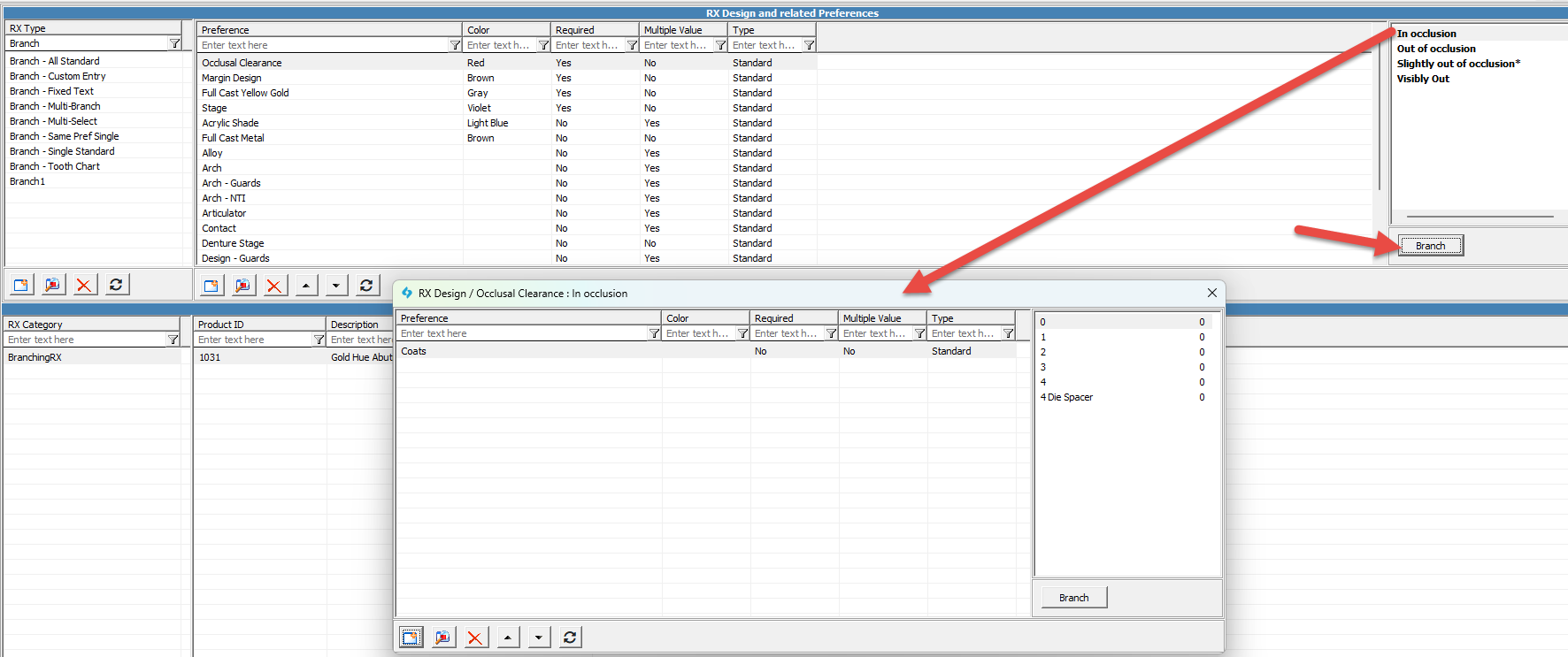
Each set of Preferences can be layered multiple times if multiple unique value sets are required. Please note that the same preferences cannot be layered into each other.
In the Customer Portal, when the user selects a branched RX Preference an icon appears letting the user know that there are additional layers of values to choose. The example below shows the icon and the additional values in the next layered preference.

The top layer appears until a selection is made. When the user selects a value, the next set of values appears. Each value can branch into separate preference values.
See Also: